Save highlighted text from any iPhone app
Updated November 3, 2026
In testing: The Void's iPhone app is with early testers on TestFlight right now, and this guide is written for them. It will be on the App Store for everyone soon.
Something worth keeping usually ends up as a screenshot nobody looks at again. Highlight it, share it to The Void, and review it later as a quote with its source.
the screenshot problem
Most of what we save while reading goes to the camera roll: a screenshot of a paragraph, filed between photos of receipts, never to be seen again. Sharing the text itself puts it somewhere it can be easily found and reviewed.
save highlighted text
- In Safari, select the text: press and hold a word, then drag the handles to cover the passage.
- With the text still selected, tap the Share button in Safari's toolbar, the square with an arrow.
- In the row of apps, tap The Void.
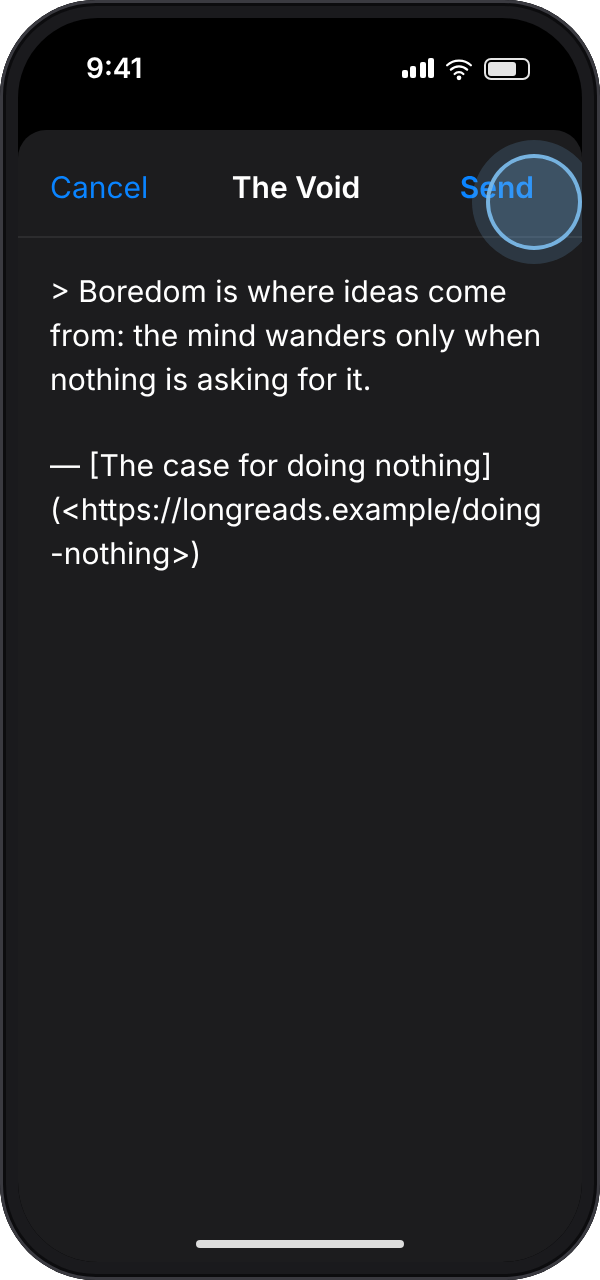
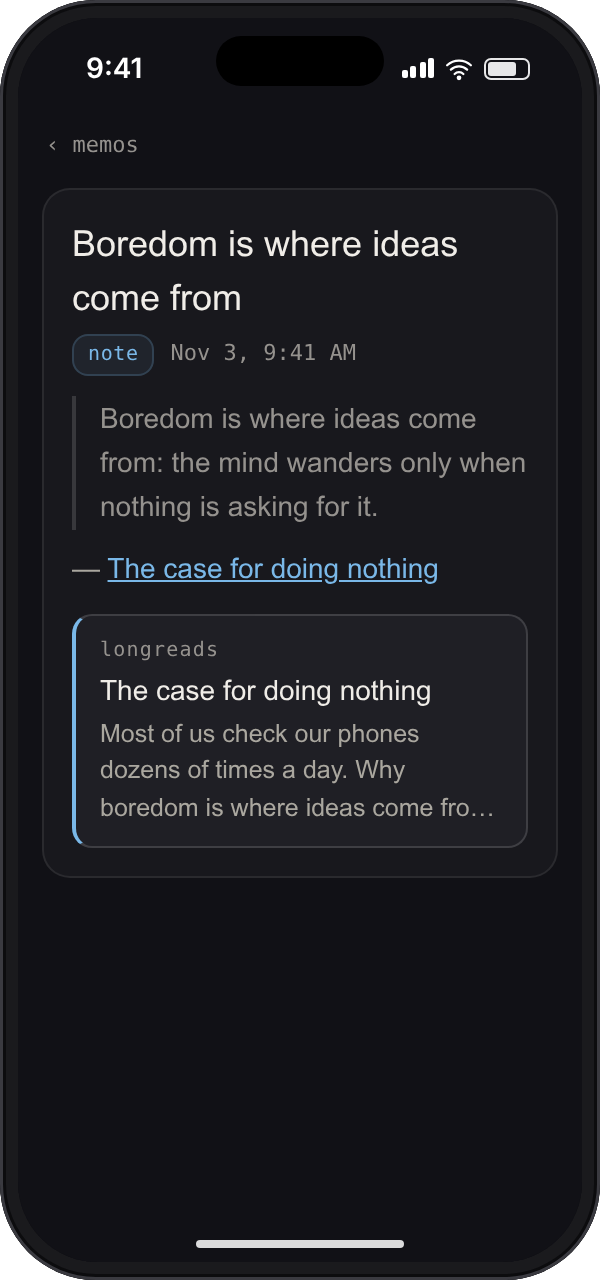
- The passage arrives as a quote, with the page's title linked under it. Edit it if you like, and tap Send.
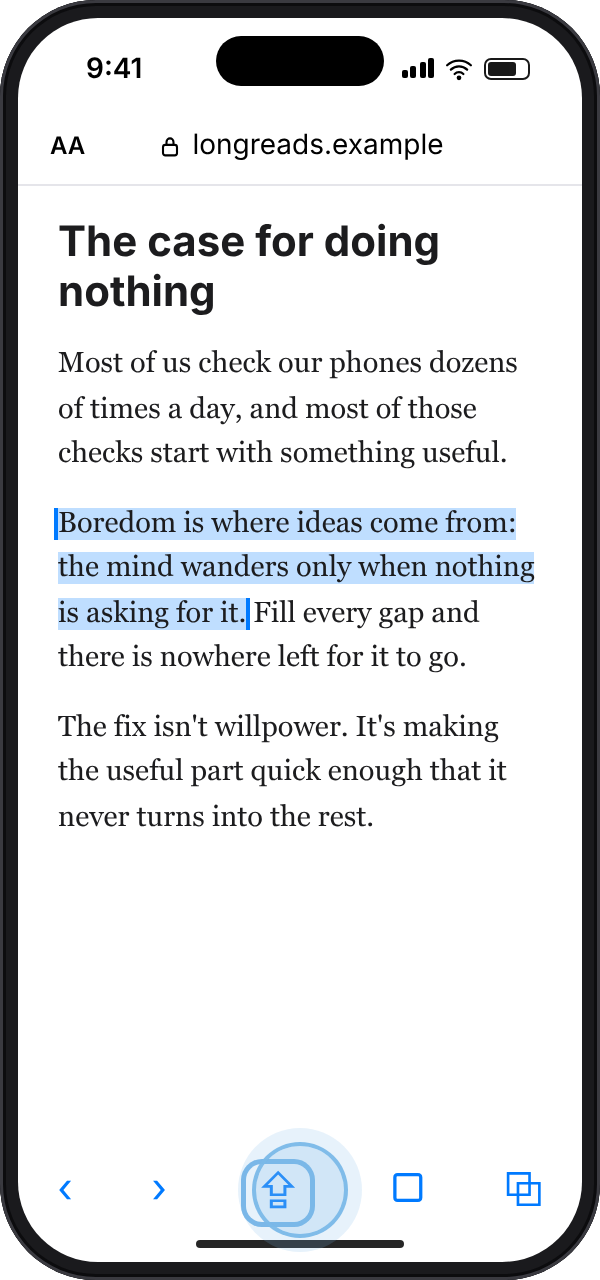
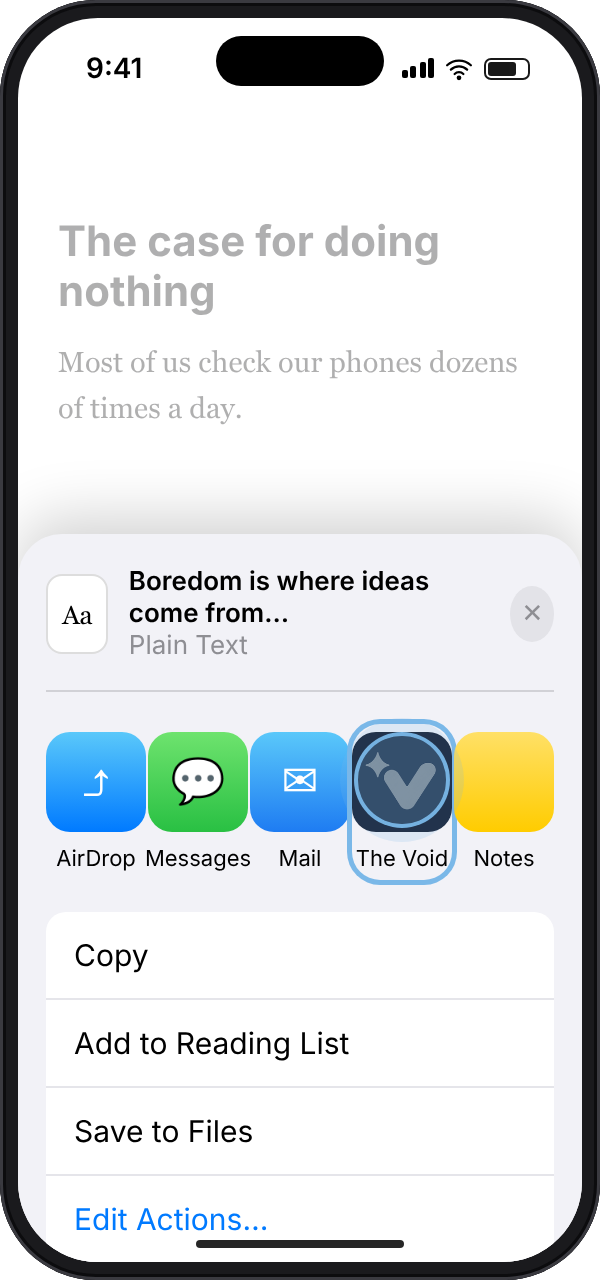
Use Safari's toolbar button, not the Share in the menu that pops up over the selection: from that menu, Safari hands over the words alone, and the memo can't say where they came from. In Mail, Books, Notes and most other apps the menu's Share is the only one, and The Void saves the passage as it is. Either way the memo is sorted all the same.
save a web page
To keep a whole page rather than a passage, tap the Share button in Safari's toolbar with nothing selected and pick The Void. The memo holds the page's title and its link.
Once it's saved, The Void reads the page's title and description and shows them as a card under the memo.
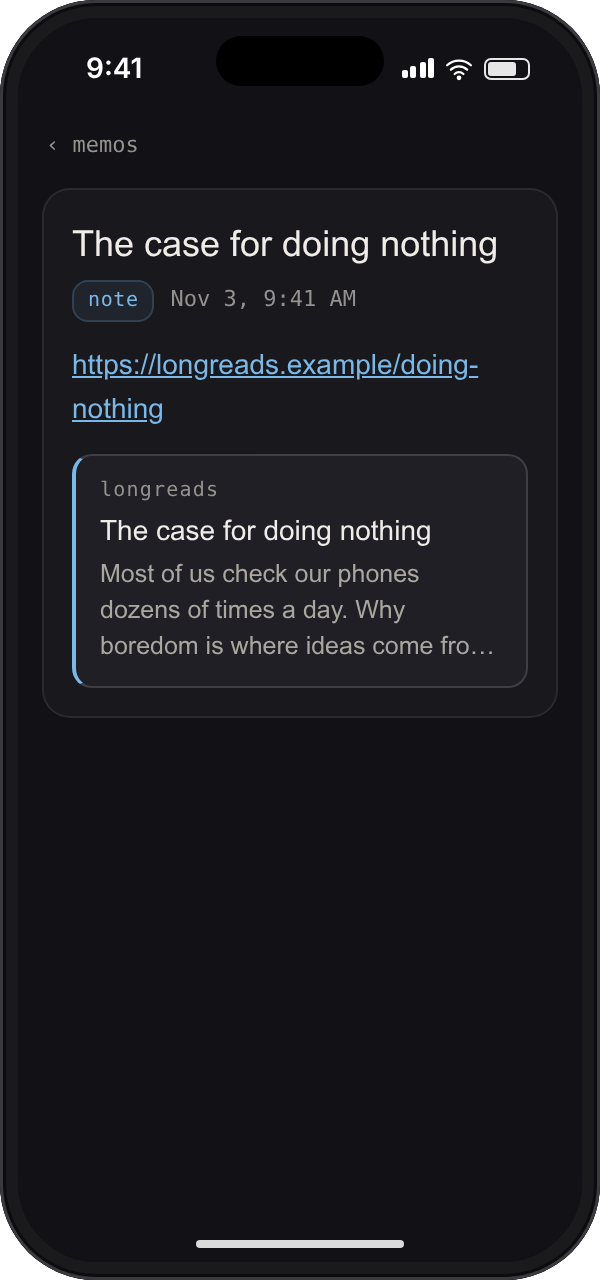
Add a line about why you saved it before you tap Send: when it turns up in your summary, you'll know what it was for.
send a voice recording
Recordings work too. In Voice Memos, Files or anywhere else with an audio file, tap Share and pick The Void. You'll see the recording's name and length. Tap Send and it's transcribed and sorted like a memo recorded in the app.
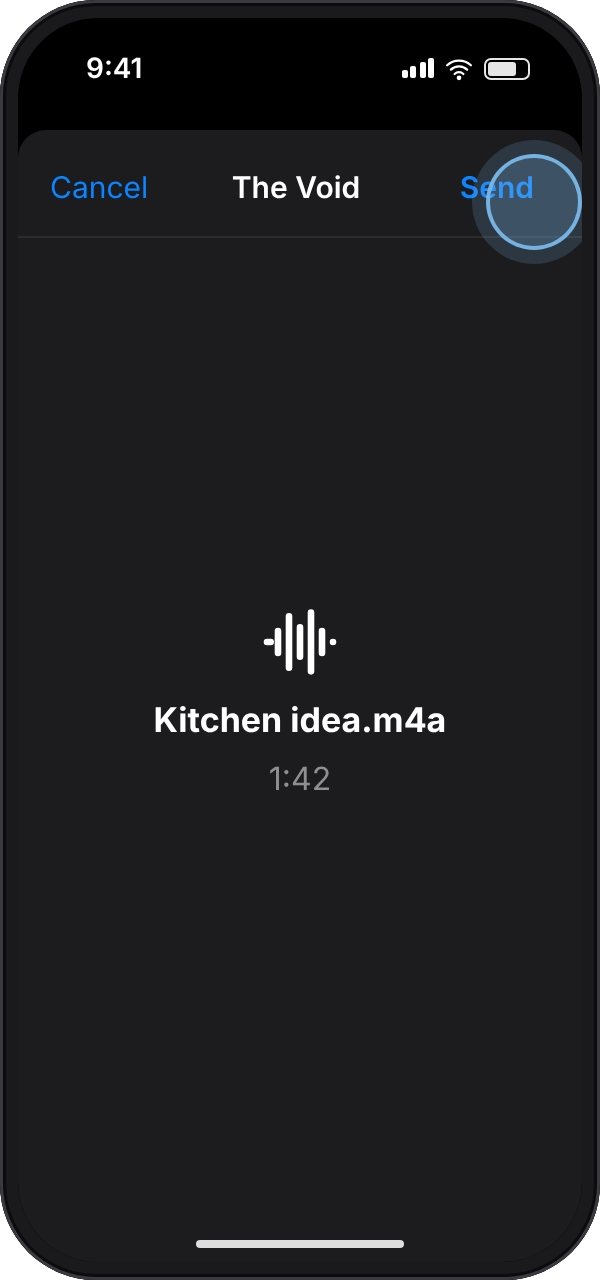
Recordings can be up to 10 minutes long, the same limit as everywhere else in The Void.
if The Void isn't in the share sheet
- Open The Void's app once and sign in.
- In the share sheet, scroll the row of apps all the way to the right and tap More.
- Tap Edit, then add The Void to your Favorites so it sits at the front of the row.
no connection?
Send anyway. When the share window can't reach the server it says "Saved on your phone. It sends the next time The Void is open." and the memo gets sent automatically the next time you open the app.
questions
Does The Void save where a quote came from?
Yes, when you share from Safari's toolbar with the text selected: the memo is the passage as a quote with the page's title linked under it. From the Share in the menu over a selection, Safari and most other apps pass on the words alone.
What happens to links in my memos?
Any link in a memo, however it arrived, gets a card with the page's title and description, which our server reads from the page once. The memo's own text is left as it was, and searching for what the page is about finds the memo.
Is there a better way to save quotes than screenshots?
Share the text instead of a picture of it. Shared text can be searched, tagged and edited, and The Void sends it back to you in a summary email so it doesn't disappear into the camera roll.
Can I send Voice Memos recordings to The Void?
Yes. In Voice Memos, tap a recording, tap the more button and choose Share, then pick The Void. Recordings up to 10 minutes long are transcribed and sorted like any other memo.
Why isn't The Void in my share sheet?
Open the app once and sign in, then look under More at the end of the row of apps, where you can add it to your Favorites. The Void appears for text, web links, and audio files, not for photos or other kinds of file.
Does sharing work without a connection?
Yes. The memo is saved on your phone and sent the next time The Void is open.
Can I get The Void's iPhone app?
It's with early testers now and coming to the App Store soon. Until then you can capture on the website, or by text message from any phone.
read more
iPhone, iOS, Siri, Safari, Face ID, Voice Memos, TestFlight and the App Store are trademarks of Apple Inc., and the other names here are trademarks of their respective owners. void is not affiliated with or endorsed by Apple.