Take a note with Siri, hands-free
Updated November 3, 2026
In testing: The Void's iPhone app is with early testers on TestFlight right now, and this guide is written for them. It will be on the App Store for everyone soon.
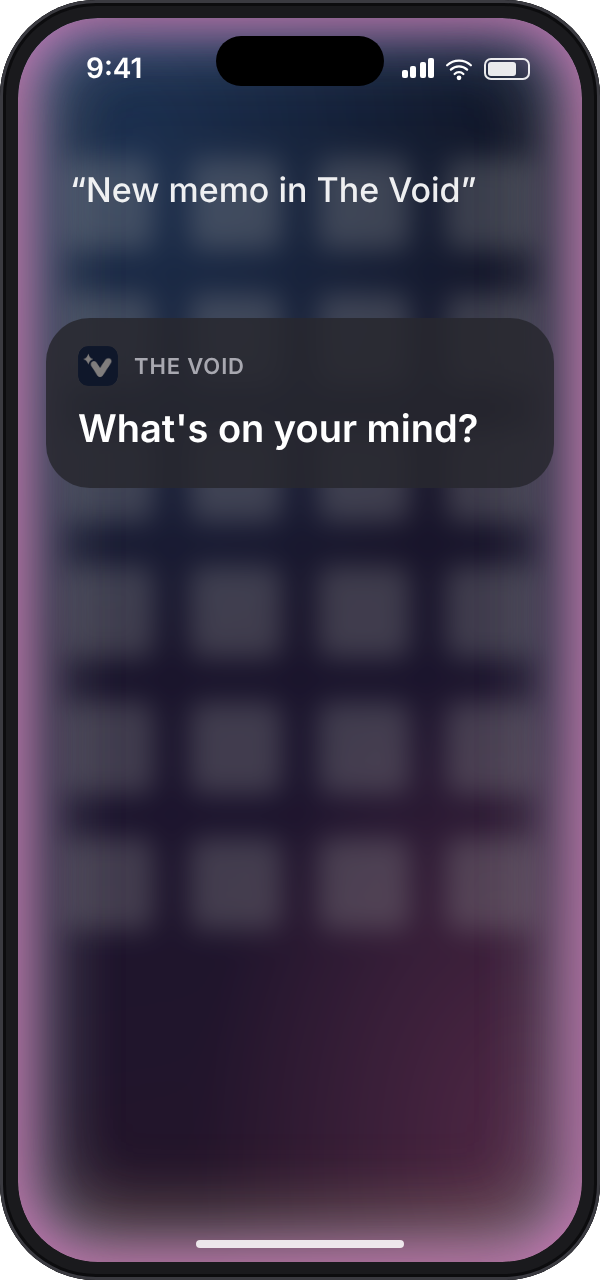
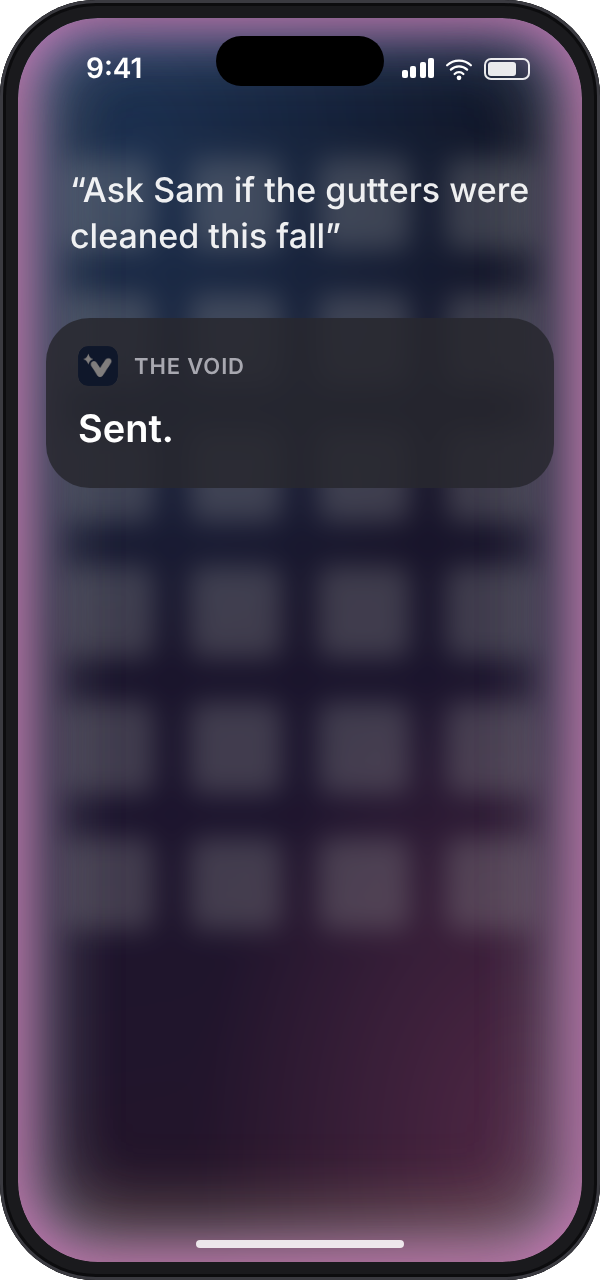
For a thought that arrives while your hands are full: say "New memo in The Void", say the thought, and Siri says "Sent." Nothing to open, nothing to look at.
what to say
Start with any of these, then answer when Siri asks "What's on your mind?"
- New memo in The Void
- Capture to The Void
- Add this to The Void
- Tell The Void
Siri saves what you said as a memo and answers "Sent." There's nothing to set up: the phrases work as soon as the app is installed and you've signed in once.
capture with Siri
- Say "Hey Siri", or hold the side button.
- Say "New memo in The Void".
- When Siri asks "What's on your mind?", say the thought.
- Siri answers "Sent." and you're done.
on the Action button
On iPhone 15 Pro and later, the Action button can capture without the first sentence.
- Open Settings and tap Action Button.
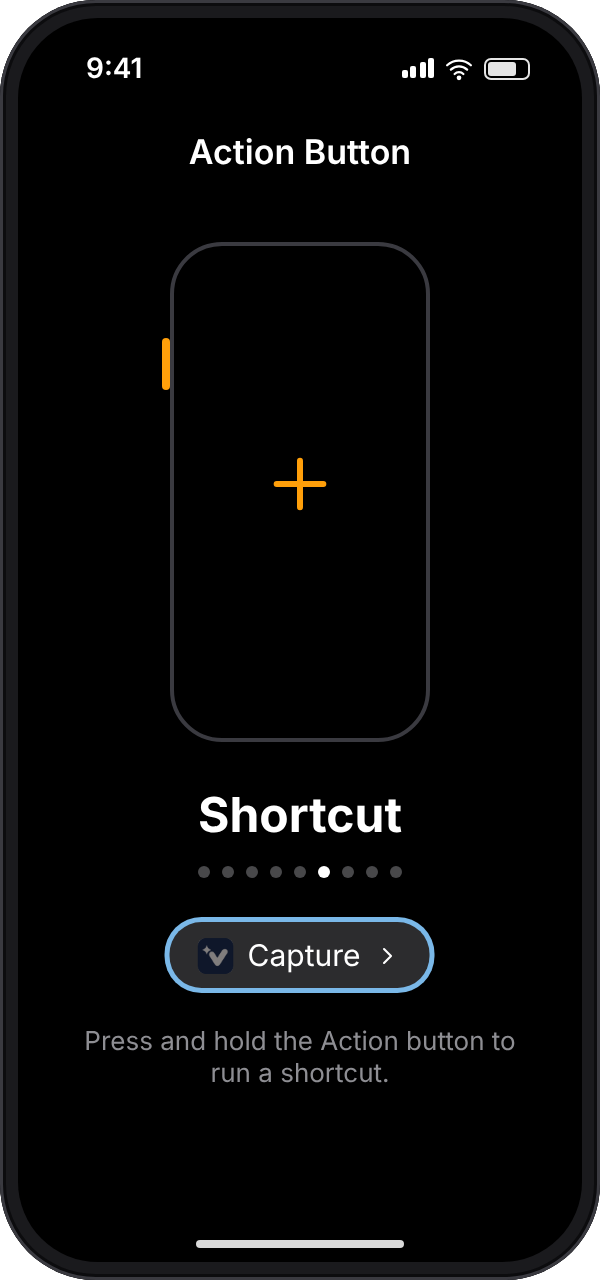
- Swipe to Shortcut, tap Choose a Shortcut, and pick Capture under The Void.
- Press and hold the Action button, and The Void asks what's on your mind. Speak or type the answer.
Prefer to type? Put the Write memo control on the Action button instead, and it opens The Void with the keyboard up.
Spotlight and Shortcuts
The same Capture action is in Spotlight (search for The Void) and in the Shortcuts app, where you can put it on your Home Screen or use it in a shortcut of your own.
good to know
- Siri saves the words, not a recording. For a voice memo with its audio, record in the app.
- No connection? Siri still says Sent. The memo waits on your phone and gets sent automtically you're back online.
- If Siri says "Open The Void and sign in first", do exactly that, once. Siri uses the account you're signed in to.
- It's free. Capture is unlimited on every plan.
questions
Can Siri add a note without opening the app?
Yes. The Void's Siri action runs without opening the app or showing a screen, so you can capture with your hands full.
Can I use the Action button to take a note?
Yes, on iPhone 15 Pro and later. Set the Action button to the Capture shortcut from The Void, or to the Write memo control if you'd rather type.
Does Siri capture work offline?
Yes. The memo is kept on your phone and sent automatically once there's a connection.
Does The Void keep a recording of what I said to Siri?
No. Siri hands The Void the words it heard, and only the words are saved. Your Siri settings decide what Apple keeps.
Which iPhones does it work on?
Any iPhone on iOS 16 or later.
Can I get The Void's iPhone app?
It's with early testers now and coming to the App Store soon. Until then you can capture on the website, or by text message from any phone.
read more
iPhone, iOS, Siri, Safari, Face ID, Voice Memos, TestFlight and the App Store are trademarks of Apple Inc., and the other names here are trademarks of their respective owners. void is not affiliated with or endorsed by Apple.